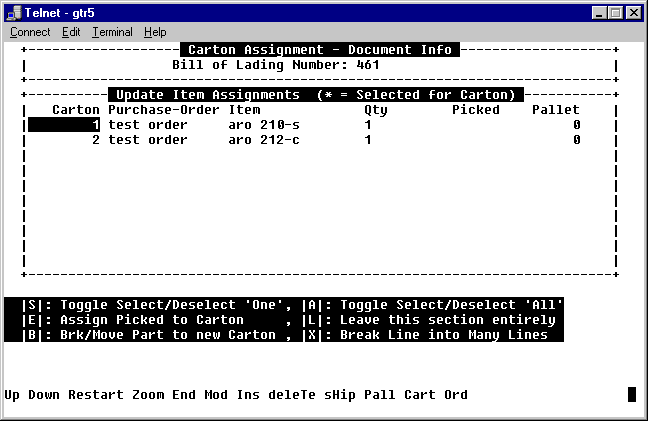
ASN Carton Assignments Screen 6
This screen illustrates both items having been assigned to cartons 1 and 2. We will now enter P to assign the cartons to pallets and/or update user defined values to the pallets.
| Shortcut | Description |
| S | Select or deselect an item |
| E | Assign the selected items to a carton. |
| B | Move part of the quantity (if more than 1) to another carton. |
| A | Select or deselect all the items. |
| L | Leave this section once you have completed this section. |
| X | Break the line into many lines. Allows for spreading the items across many cartons when quantities are large. |
| U or D | Navigate up or down |
| R | Restart |
| Z | Zoom on highlighted record. |
| E | not used for End. See "E" above. |
| M | Modify highlighted record. |
| I | Insert a record |
| T | Delete a record |
| H | Enter Shipment level user defined fields. |
| P | Enter Pallet level user defined fields. |
| C | Enter carton level user defined fields. |
| O | Enter Order level user defined fields. |
Last update October 20, 2006