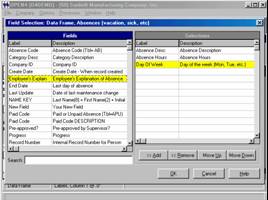

Report Writer, Field Selection

OPEN4 comes packed with
over 200 reports in the report writer library, any
of which can be copied and modified to yield
your own customized version.
Or … you
can write a report entirely from ‘scratch’.

Adding fields to the report
is simple – just click an item in the Fields
list (on the left) to add it to the Selection
list on the right.
Fields will be added to the
report in the order in which they appear in the
list (but you can still move them around).
By the way, our Query is even easier to use – you can create a query in seconds!
